


AI Can Read Your Code. Can It ExplainWhy It Was Written That Way?

Legacy Modernization & AI

AI Can Read Your Code. Can It ExplainWhy It Was Written That Way?

A simple question every company updating old software should ask — no technical background needed.

A client once told me, “Our AI tool scanned the whole system in an afternoon. Why do you still need three more weeks?” It’s a fair question.

A quick note for anyone new to this: PowerBuilder is a tool many large companies used, going back decades, to build the software that still runs core parts of their business today — things like billing, insurance claims, or customer records. Most people outside IT have never heard of it, even though they rely on what it built every day.

So when a company wants to update one of these systems, the first step is figuring out what the software actually does. That’s where AI comes in — and where the confusion starts.

The codeWhat AI can read
The context
DecisionsHistoryPeople
The code tells you what.
Your people know why.

The hard part was never the reading

Reading the code is easy.
Understanding why it was written that way is not.

01

What people expect AI to do

Think of AI like a very fast, very thorough reader. Point it at old software, and within hours it can tell you what every screen does, how the pieces connect, and which parts look outdated. A job that used to take a person two weeks now takes an afternoon.

That’s genuinely useful. It’s also why people assume the hard part is now done.
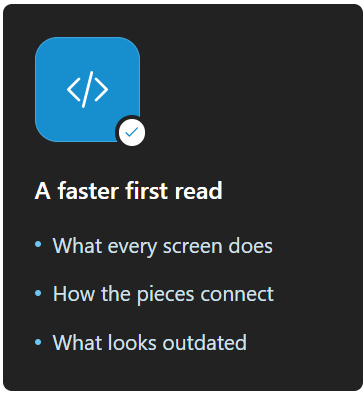
What people expect AI to do
02

Why that's not the whole story

Years ago, I saw a screen where the same check was done three different ways in three different places. It looked like sloppy, repeated work — an obvious thing to clean up.
It wasn’t. One of those checks existed because of a change the company made after buying another business over a decade earlier. Remove it, and a small group of old customer records would quietly break.

Nothing in the code explained this.
It lived in one person’s memory.

An AI tool reading that same screen today would spot the exact same “obvious” fix — and get it wrong for the exact same reason. It can see the code. It can’t see the decisions, the history, or the people behind them.
The capability

What AI is
genuinely good at

Reading fast, mapping how everything connects, and flagging things that look risky or outdated — reliably, at a scale no team can match by hand.

The context

What only
your people know

Why something was built that way — the old client request, the past incident, the workaround nobody wrote down. That lives in memory, not in code.

03

One simple question to ask

Find a part of your system that looks a little odd. Ask your AI tool why it’s built that way. Then ask your most experienced team member the same question.

Your AI tool

A smooth,
confident answer.

Likely guessing well.

Your experienced team member

Let me
check on that.

A pause worth paying attention to.

If the AI gives you a smooth, confident answer — be a little more careful, not less.

It’s likely guessing well, not remembering. If your team member pauses and says “let me check on that” — pay attention. That pause is your real risk. Not the code. The fact that the reason for it exists in only one or two people’s heads.

AI was never the problem.
Losing the “why” before anyone writes it down is.

Let's look a little closer

Want to know what a closer look would find in your own systems?

Let's connect

About the author